Operational Workspace
The workspace is the surface every operational employee lives in. Its design challenge was to turn the file from a pass-through between tools into the place where work is actually executed — the board to prioritize, the mailbox on the file, the workflow panel and the reader, all one connected environment.
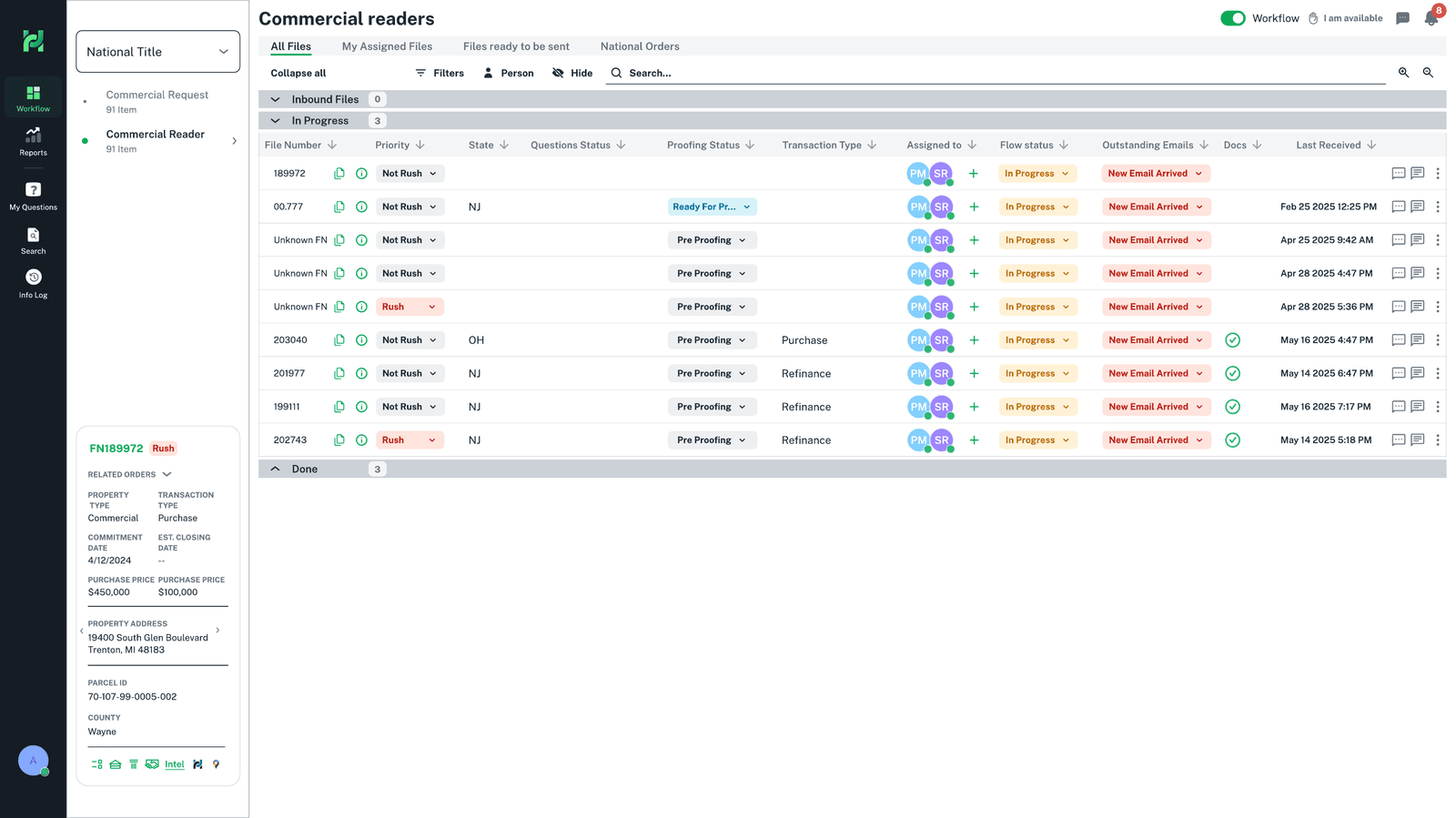 QuestionsProofing statusOwnership · readerWorkflow statusMail on the file
Why this exists
To finish a single file, an employee moved between email, documents, a workflow system and separate task tracking — gathering the same context again and again. Much of the day went to switching, searching and re-finding rather than to the judgment only a person can provide.
The workspace consolidated those operational tools into a single environment centered on the file. Instead of the work living between systems, the file became the one place where it is read, discussed, tracked and completed.
Workflow
The workspace isn't a set of separate screens; it's a loop. A reader moves from the board into a file, works its mail, questions and workflow, and hands it on — never leaving the file. This is the ecosystem the whole domain is built to support.
Prioritize work
See the queue; open what's urgent and owned.
Enter the workspace
The file opens with all its context in place.
Correspondence on the file
Work the emails attached to the file.
Review & resolve
Raise and answer questions in context.
Update state
Move the workflow status and checklist forward.
Do the work
Read, validate and record on the file.
Manager review
Pass a clear, complete file to the next step.
The Business Problem
The business ran on files, but no product owned the doing of the work. Finishing one file meant reassembling context across several tools, so the operation's throughput was capped by how fast people could switch, search and re-find — not by the judgment they were actually there to provide. The workspace had to absorb the execution layer itself.
Users
Operational Employee · Reader
Executes assigned files. Goal: know what to do next and do it without leaving the file. Success is action clarity and low noise.
Manager-Contributor
Executes and oversees at once. Goal: personal work plus a team, without losing context switching between the two.
Product Decisions
Tasks live inside the file — not in a global task board.
WhyA task detached from its file becomes another thing to reconcile; ownership should follow the work.
RejectedA global task center — it removed operational context and made people navigate between unrelated work.
Communication is anchored to the file.
WhyA discussion that lives in a personal inbox is context the next person can never see.
RejectedA separate messaging center — discussion would live apart from the operational context it belongs to.
Status is a shared, first-class vocabulary on the board.
WhyTriage depends on reading priority, questions, proofing and flow at once — not one file at a time.
RejectedStatus hidden in a file-detail view — triage would mean opening every file instead of scanning the queue.
A role-based home surfaces the queues you own — not a global inbox.
WhyPeople think in the files and boards they own, not in a stream of messages.
RejectedA single global inbox — it re-centers the experience on messages rather than the files people own.
Wireframes
The layout evolved from a tool-like set of tabs toward a file-centered workspace that keeps context beside the work. Mid-fidelity iterations — the layout reasoning made visible.
Final UI
Not a gallery of screens, but the actual sequence a reader moves through — each one solving a specific problem and carrying a specific decision. Read top to bottom, it is one file's journey through the workspace.
Triage a whole queue at a glance
ProblemA reader needs to know, across dozens of files, what is urgent, what is blocked and what is theirs.
In the screenEvery file shows priority, state, questions, proofing status, ownership, flow status and outstanding emails together.
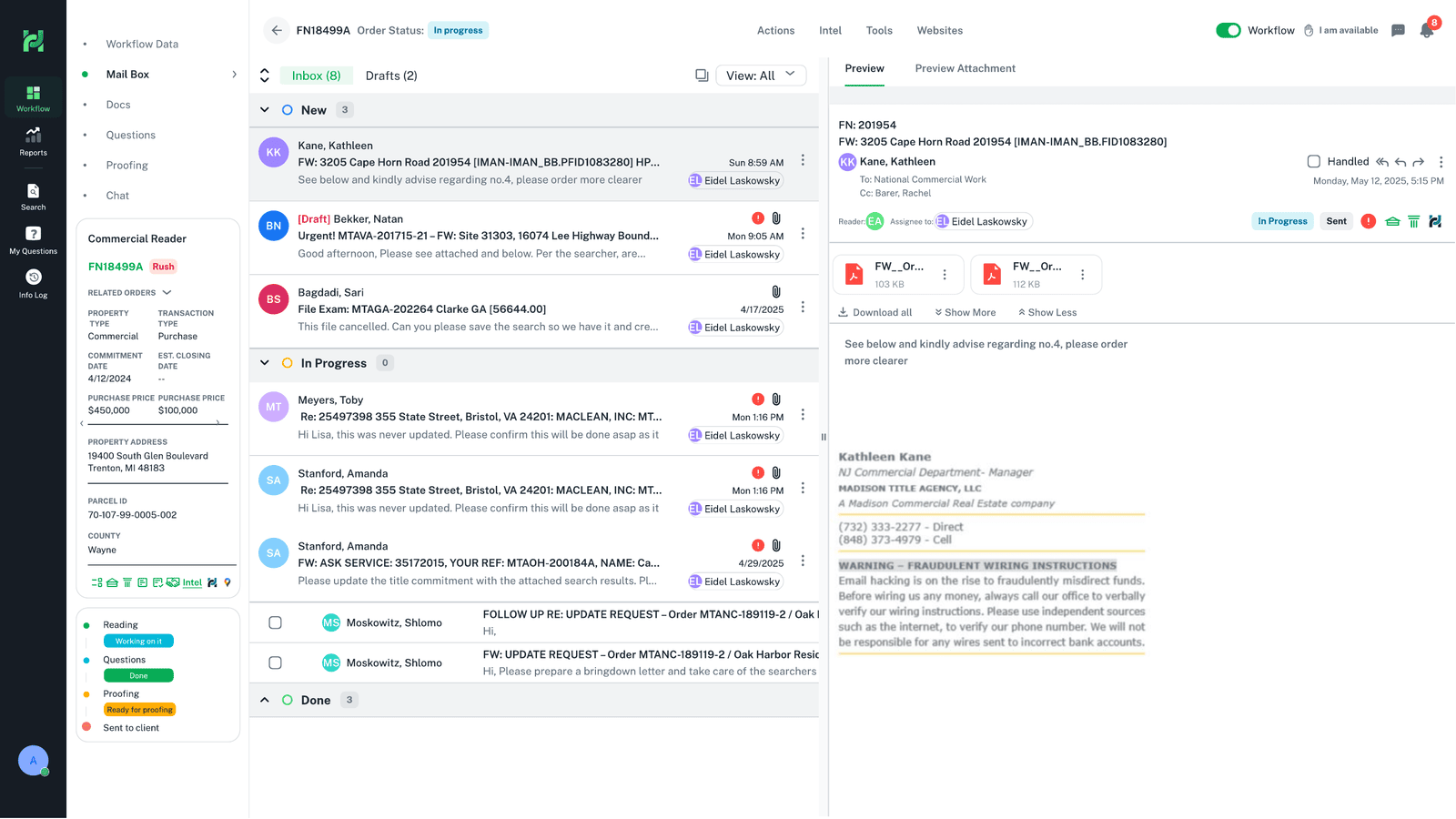
Correspondence, moved onto the file
ProblemA file's emails lived in personal Outlook inboxes, invisible to everyone else working it.
In the screenA full mailbox on the file: inbox, drafts, preview, attachments, assignment to a person and status — the correspondence, in the operational context.
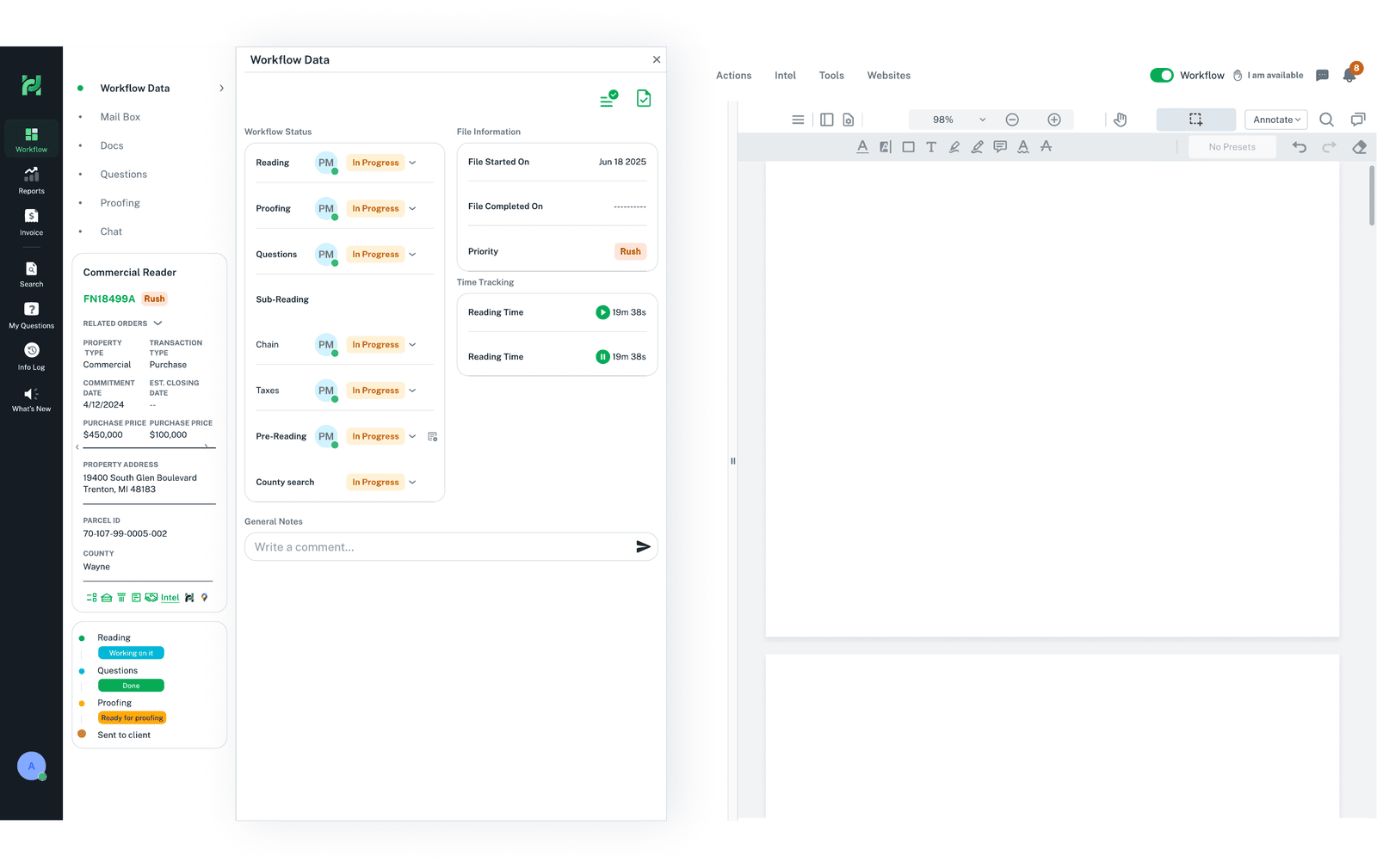
The whole state of the file in one panel
ProblemThe state of a file's work — what stage it's at, what's checked, what's noted — was scattered across tools and people's memory.
In the screenWorkflow status, a live checklist (reading, proofing, questions, sub-reading, taxes…), file information, time tracking and notes, all on the file.
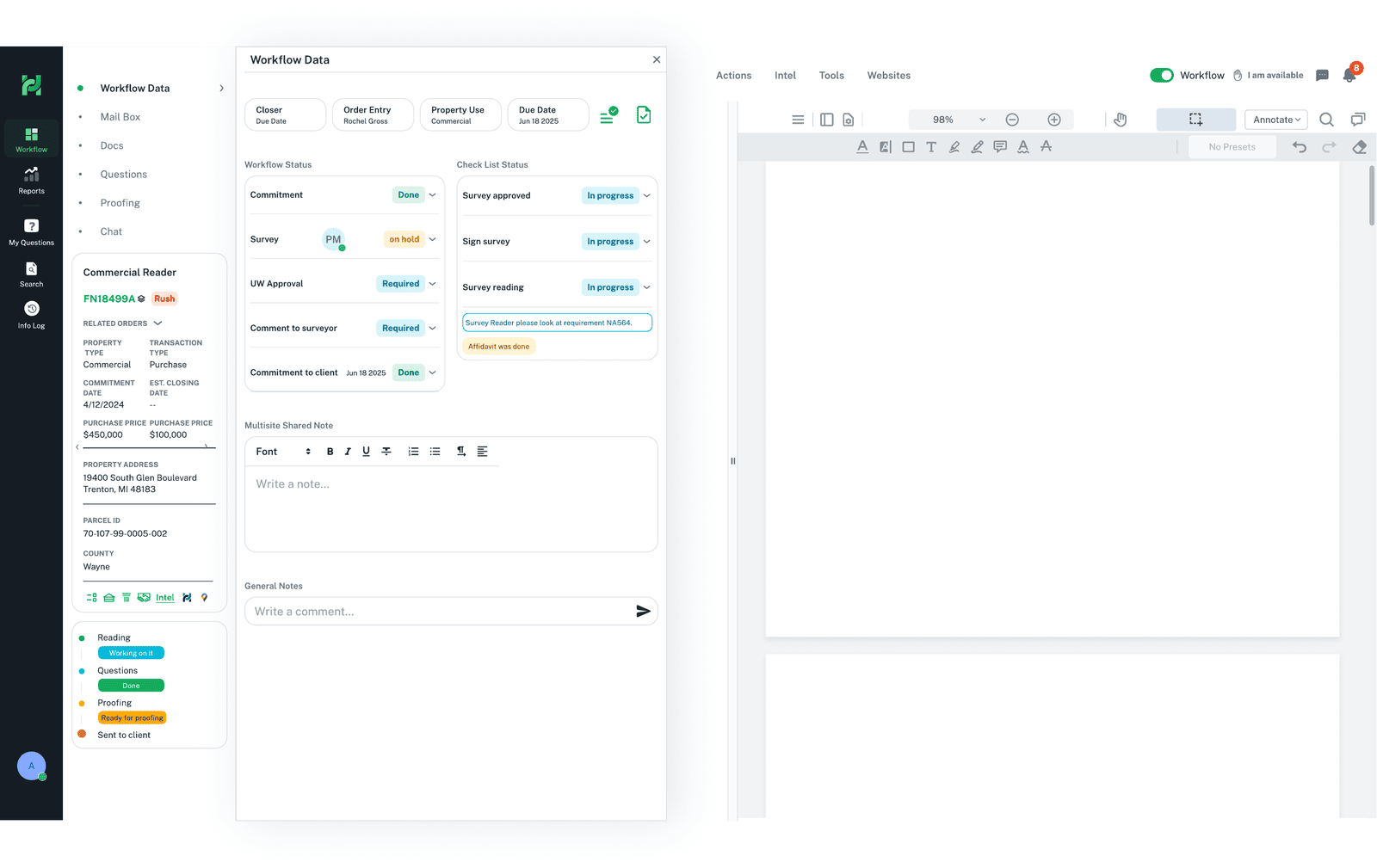
Reading and recording, beside the source
ProblemThe core act — reading a file and entering operational data — happened in yet another tool, away from the file's context.
In the screenThe reader works the file with its data and the source document in view, recording as they go, without leaving the file.
Impact on the Platform
Operational Workspace turned the file into the place where work is done, rather than a pass-through between tools. It is the domain that demonstrates operational workflow design — and the surface the other two domains plug into.