Title Hub
Title Hub is not a feature or a dashboard. It is a large operational platform that gradually replaced the disconnected systems an entire title-operations company relied on every day — the workspace where daily work happens, where operational data becomes trustworthy, and where managers run the operation.
The Operating Model
Title Hub did not replace a single tool. Before it, the operation ran on a scattered stack — six broad areas of work, each split across different applications, spreadsheets and human memory. The design task was not to consolidate tools; it was to change the unit around which work is organized.
Title Hub did not simply consolidate tools. It changed the unit around which work was organized — from applications and departments to the operational file.
Project Snapshot
The Challenge
Employees were not struggling because Outlook was bad. They were struggling because work itself was fragmented — the operational knowledge that kept files moving lived inside people's heads and across a dozen systems, not inside a product. The clearest way to feel this is to follow a single, ordinary task.
Nine steps, six tools, and repeated jumps backward — for one file, many times a day, across every department.
Time lost to searching
Most effort went into finding and re-finding context, not into the judgment only a person could add.
Context lost between systems
Each hop dropped a little context; nothing held the whole story of a file in one place.
Accountability lost between handoffs
With work spread across tools, ownership blurred — steps were duplicated or quietly dropped.
Framed correctly, this was an organizational transformation problem. The interface would only ever be the visible outcome of getting the operating model right.
The Organization
Before designing a single screen, the work was to understand the operation itself: its departments, the roles inside them, how a file moves between them, who owns each step, where decisions are made and where information enters and leaves. The product could only ever be as good as this understanding.
Operations are organized by jurisdiction and product line — each department runs its own boards and queues, yet they share files, data and clients. The product had to respect this structure while making the whole legible.
National Title
- Commercial readers & queues
- National orders across states
- Multi-site coordination
NY Title
- State-specific requirements
- Local proofing & questions
- County-level records
NJ Title
- State-specific requirements
- Local proofing & questions
- County-level records
Proforma & Support
- Proforma & multi-site tasks
- Shared operational data
- Client-facing coordination
Departments and roles don't work in isolation — a file passes between them, and information, data and decisions flow across the boundaries. Mapping these relationships showed why point solutions couldn't work, and why the operation needed a shared operating layer rather than better-integrated tools.
A single file crosses hands and departments through a defined lifecycle. Above the line is the role that owns each stage; below it, the information and artifacts the stage depends on. Mapping this became the backbone the product was later organized around.
- Order details
- Client email
- Task
- Ownership
- External data
- Documents
- Reading
- Status
- Questions
- Emails
- Checklist
- External data
- Decision
- Approval
- Sent to client
- History
The same file is touched by several actors with different responsibilities, visibility and moments of action. Making this explicit is what later justified role-based views and a permissions layer rather than one screen for everyone.
| Actor | Responsible for | Sees | Communicates with | Acts at stage |
|---|---|---|---|---|
| Operational employee Reader | Reading, data entry, resolving questions | Own files & queues | Manager, colleagues, client (via manager) | Research → Validation |
| Team manager | Assignment, workload, proofing, approval | All team files & status | Employees, other departments, client | Assign · Review · Approve |
| Manager-contributor | Executes and oversees at once | Own files + team overview | Employees, managers | Across all stages |
| Administrator | Roles, permissions, configuration | System-wide (governance) | Managers | Cross-cutting |
| External systems | Source of operational data | — | Platform, via sync | Intake · Validation |
Research
This was product discovery, not UX research in isolation. I met with department managers and operational employees, observed real workflows, mapped how work moved across departments, documented bottlenecks and ownership, identified repeated manual work, studied communication patterns, and learned which information each role actually needed.
How the operation is run
- How is work assigned?
- How do you know where a file is stuck?
- How do you understand each employee's workload?
- Which events require escalation?
- Where do handoffs fail?
- What do you need to see but currently can't?
How the work actually happens
- What starts your day?
- How do you know what to do next?
- Which systems do you open for a single task?
- What information do you repeatedly search for?
- What do you track outside the official systems?
- Where do errors or delays happen?
Recurring patterns across interviews and observation — reconstructed here, not quoted verbatim.
“Monday is kept open to know what to do — but the information itself lives in the emails.”
Observed pattern“Understanding one file means searching in several places.”
Observed pattern“A delay is usually discovered only after someone asks about it.”
Observed pattern“The status doesn't always say what is actually blocking the file.”
Observed patternOperational Employee
Goal: complete assigned work efficiently. Needs action clarity — what to do next, the information at hand, and status without noise or switching.
Team Manager
Goal: keep the operation moving. Needs visibility across files and people, workload balance, and the ability to spot and clear bottlenecks.
Manager-Contributor
Goal: execute and oversee at once. Needs to do personal work and manage a team without losing context between the two.
Each observed behavior was traced to the operational problem underneath it, and then to the product opportunity it pointed at. This is the bridge from research to strategy.
Searching across tools to finish one task
Context is fragmented across systems
Bring communication, data and actions onto the file
Managers ask employees for status updates
Progress is invisible until someone asks
Build role-based operational visibility
Cross-checking values by hand against external systems
Validation is slow and error-prone
Surface comparisons; preserve human approval
Knowledge kept in inboxes, spreadsheets and memory
The operation depends on individuals, not the product
Encode workflow, ownership and history into the file
From Research to Product Strategy
Findings on their own don't build a product. The real work is the translation: each observed problem becomes a product decision, justified by a reason, and delivered as a platform capability. This decision framework is where the product strategy is actually defined — before a single screen exists.
| Research finding | Product decision | Why | Platform capability |
|---|---|---|---|
| Employees switch between Outlook and Monday to work one file | Keep all context on the file | Work must not scatter across tools | File Workspace |
| Managers don't know who owns work or where it's stuck | Make ownership & status always visible | You can't manage what you can't see | Assignments & operational visibility |
| Employees compare values across systems by hand | Surface differences; keep human judgment | Automation without oversight risks accuracy | Validation Center |
| Operational knowledge lives in people, not the product | Encode workflow, history & roles into the file | The operation shouldn't depend on individuals | Platform services |
The findings pointed at a fork. Three approaches were genuinely on the table, and the whole platform depended on which one we committed to.
We selected Option B. Tasks, emails and documents are all just facets of a file — organizing around any single facet would have left the others fragmented. Only the file could hold the whole.
Why the File?
Everything else in Title Hub follows from a single choice about the unit of work. Rather than asking people to move between systems, we moved the systems around the file: every capability the operation needed became an attribute of the file itself.
Instead of asking employees to move between systems, we moved the systems around the file.
The Architecture
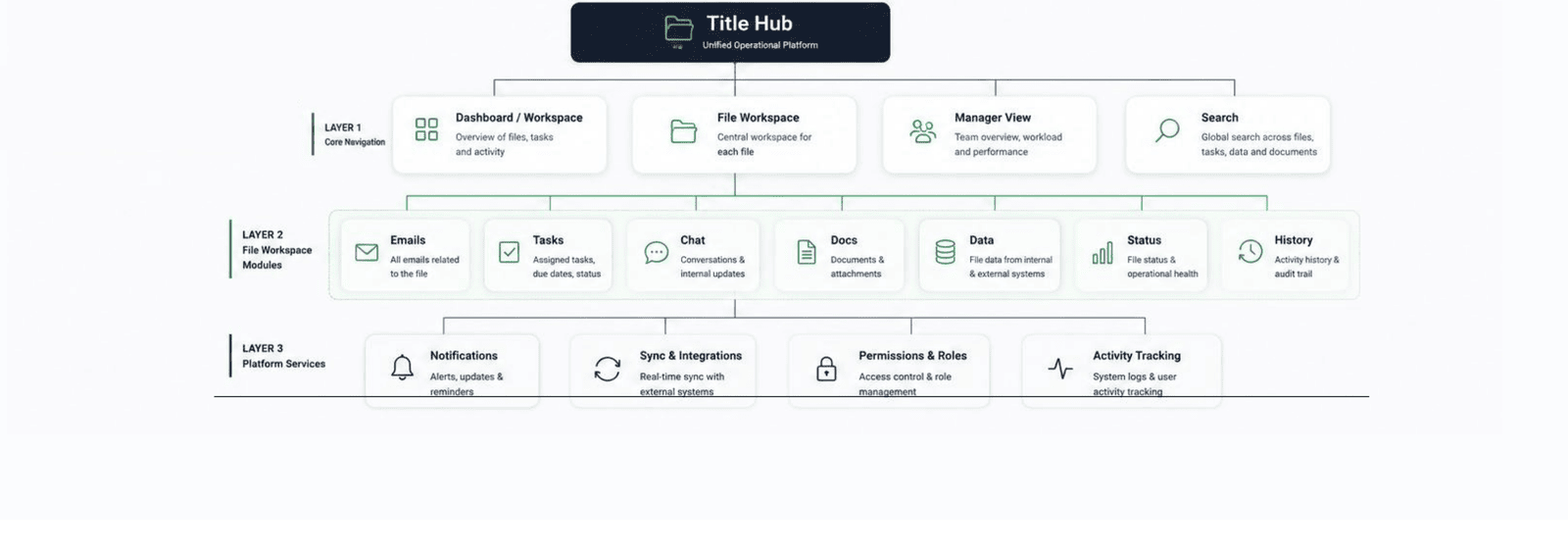
With the file as the organizing unit, the platform was structured as three layers: core navigation that orients any role, file-workspace modules that carry a file's context, and platform services that operate across every file. This architecture is what let dozens of capabilities feel like one product — and what made role-based access and permissions coherent rather than bolted on.
Core navigation
Dashboard/Workspace, File Workspace, Manager View and Search — the orientation layer every role starts from.
File-workspace modules
Emails, Tasks, Chat, Docs, Data, Status and History — the context that travels with each file.
Platform services
Notifications, Sync & Integrations, Permissions & Roles and Activity Tracking — services that run across all files.
Separating the cross-cutting foundation from the product domains was a deliberate architectural decision: it let each domain evolve independently while permissions, search, notifications and activity stayed consistent everywhere.
Which surfaces the most important truth about Title Hub: it is not one product. On the shared foundation sit three distinct products, each serving a different job.
Operational Workspace
Finishing one file meant touching five tools.
Operational readers & manager-contributors.
Do the whole job from one place, on the file.
Board, queues, tasks, communication, status, search.
Data Intelligence & Validation
Operational data was cross-checked by hand.
Readers validating; managers approving.
Make data trustworthy without removing judgment.
Extraction, comparison, exceptions, approval, sync.
Operational Visibility
Managers couldn't see the operation.
Team managers & administrators.
See the whole; assign, rebalance, unblock.
Dashboards, workload, roles & permissions, analytics.
Everything Connects to the File
If there is one diagram to remember, it is this. Every capability the operation needs — communication, documents and data, workflow and governance — is an attribute of the file. And because it all lives on one model, both products are just different views onto it: the internal HUB executes the work, the portal exposes a controlled read of it.
One file, every capability, two products — this is why the whole platform holds together.
Extending the Platform Beyond Internal Users
While the HUB served internal operational teams, I also designed a lightweight portal for external departments, management and business stakeholders. Instead of exposing the full operational workspace, the portal offers controlled, read-oriented visibility into file progress, communication and outstanding issues — built on the same underlying data model with role-based permissions. Same data, a different audience, far fewer actions.
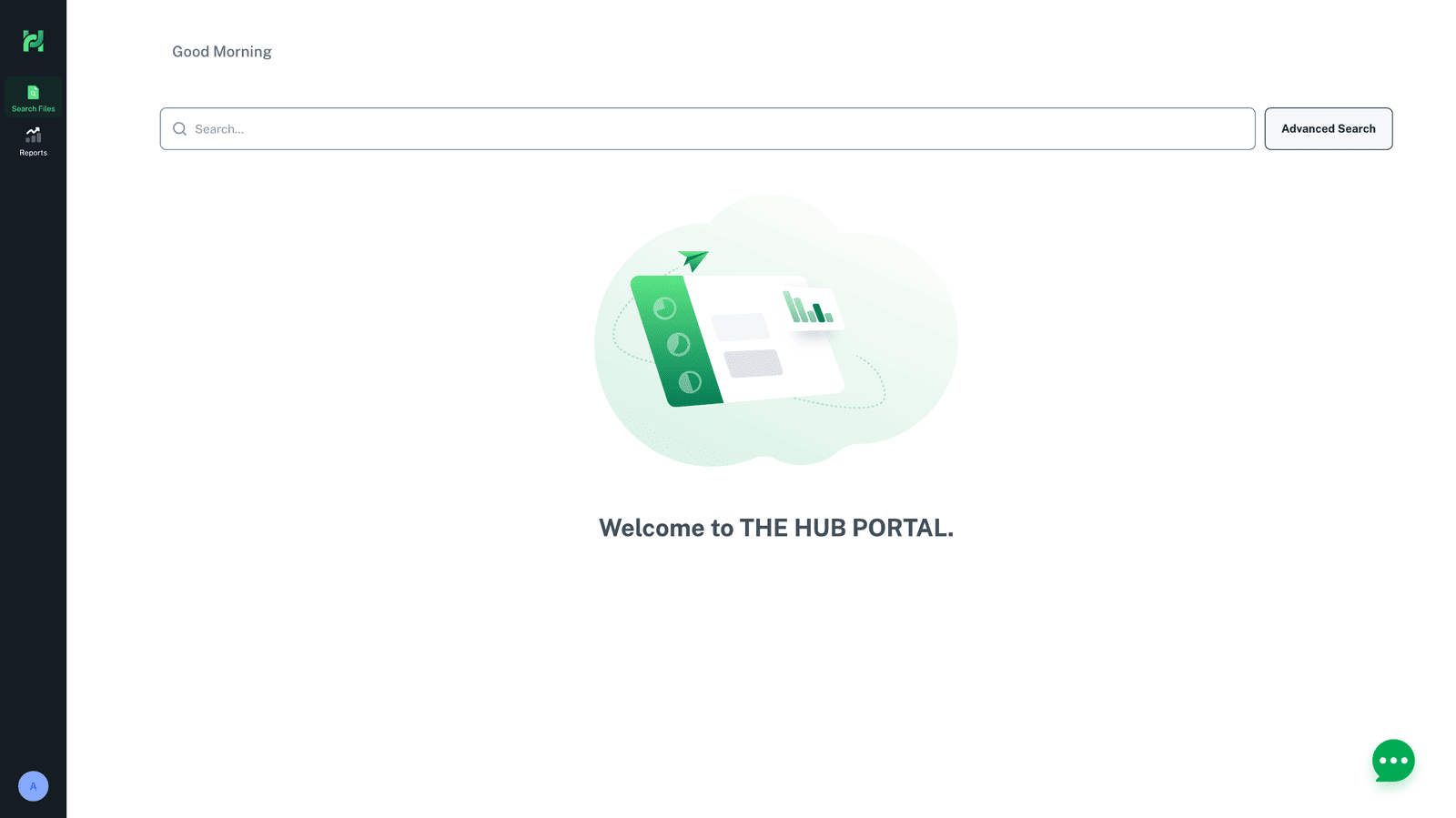
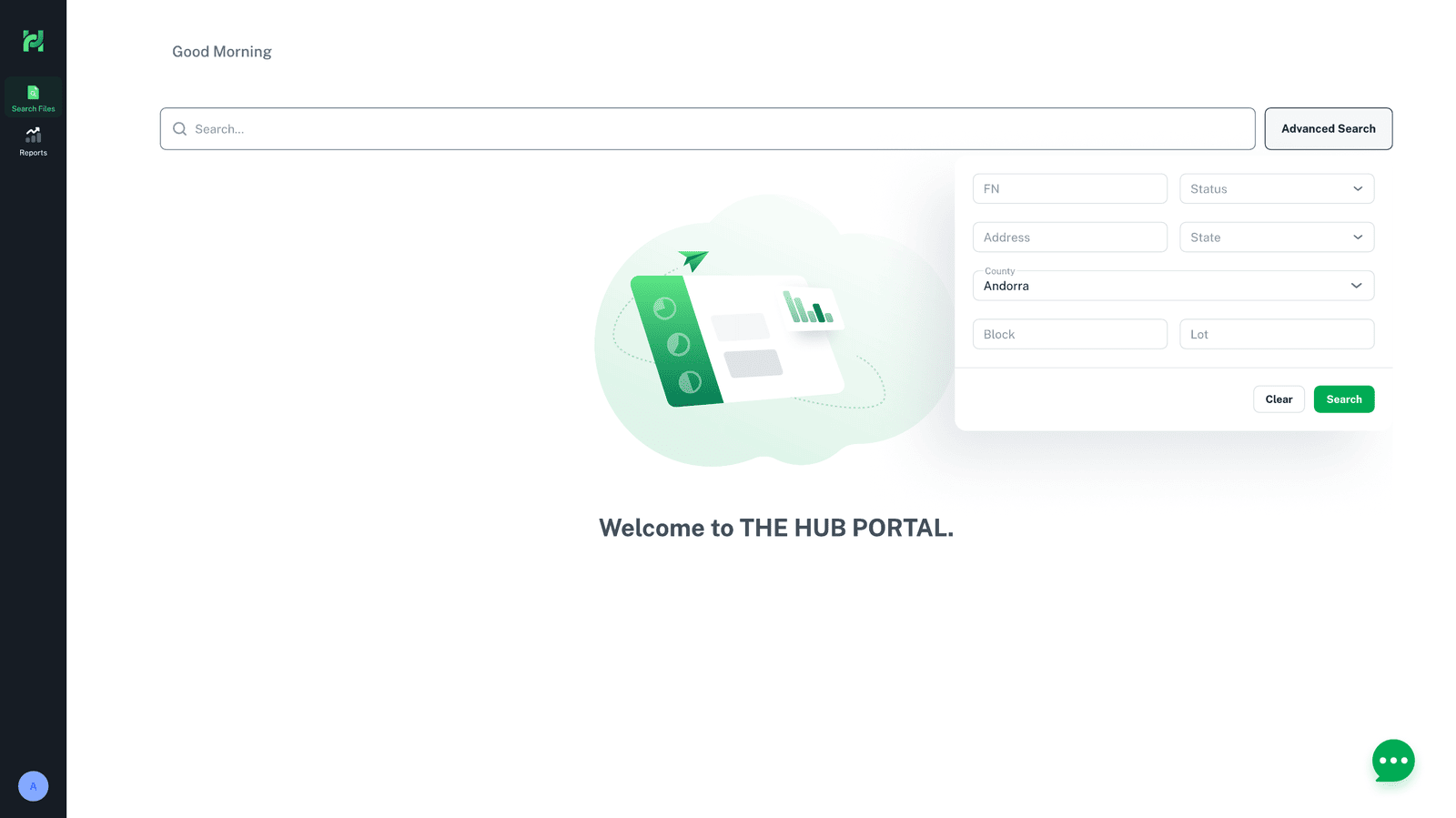
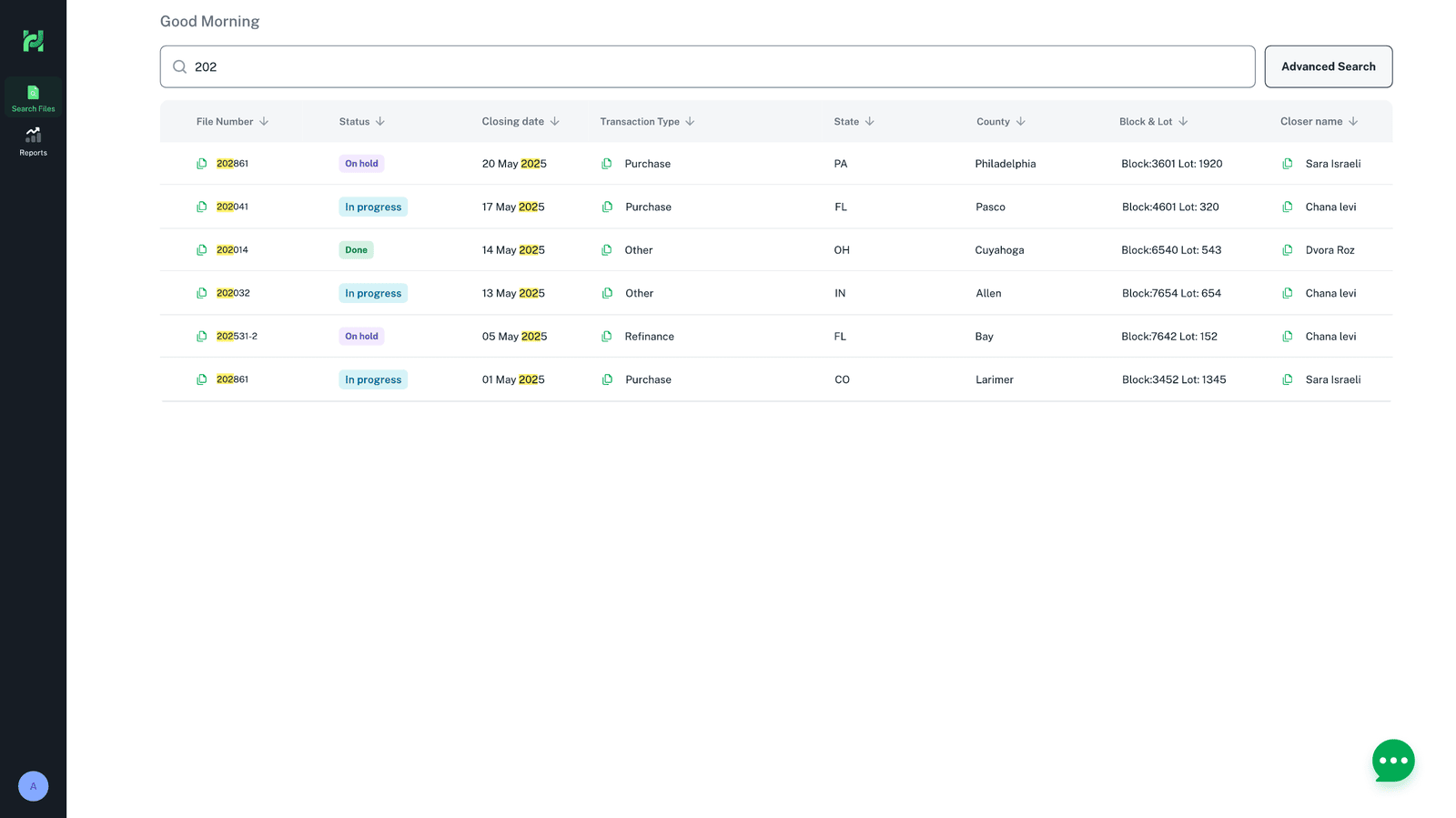
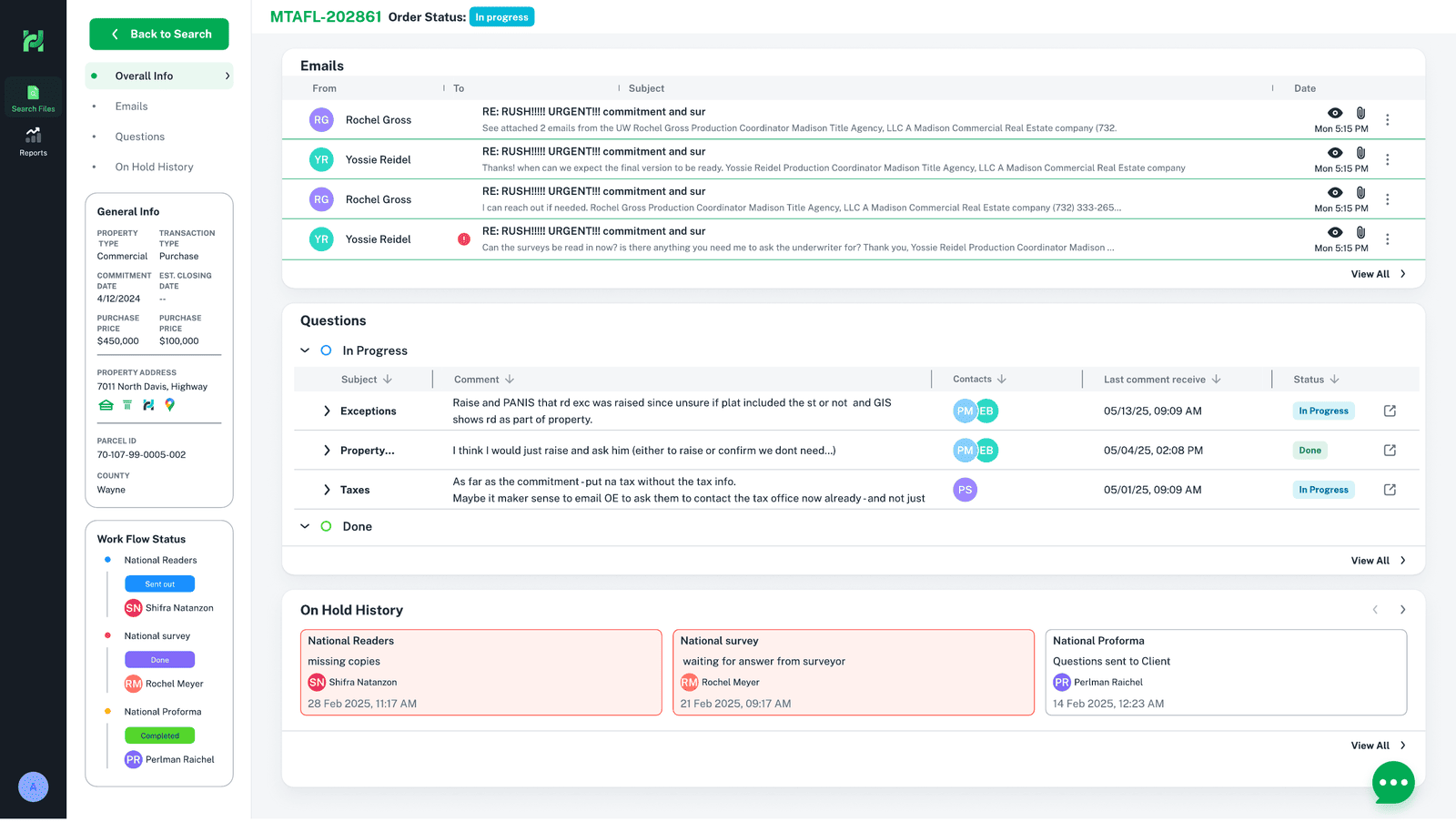
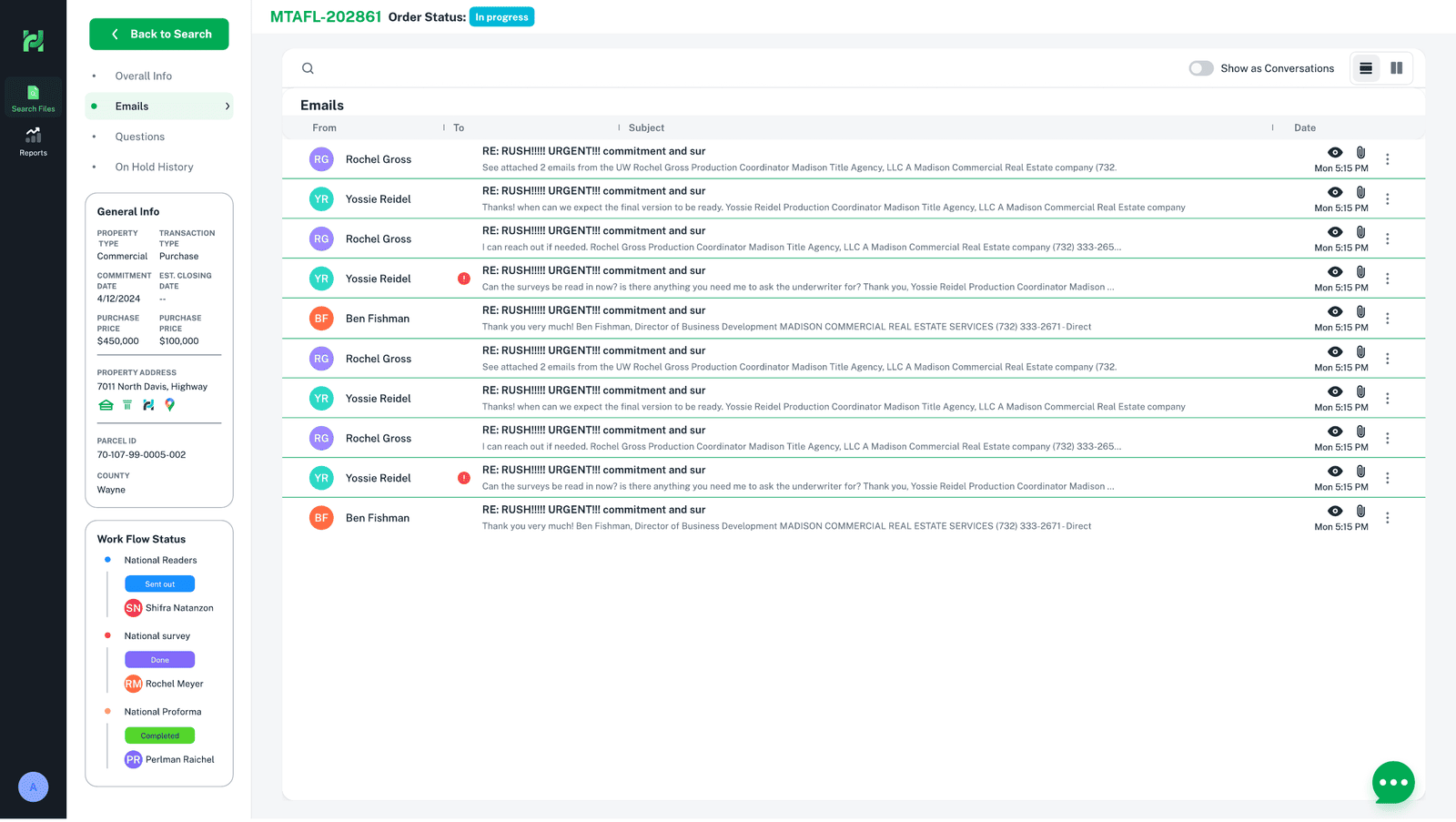
Same data model, different audience. The portal proves the platform's architecture was right: because everything already lived on the file with role-based permissions, exposing a controlled, read-oriented view to outside stakeholders was an extension — not a second product to build from scratch.
Three Product Domains
Read separately, each domain is a complete product with its own users, problems and design story. What follows is the deeper story of each — how work gets done, how data becomes trustworthy, and how the operation is managed.
Operational Workspace
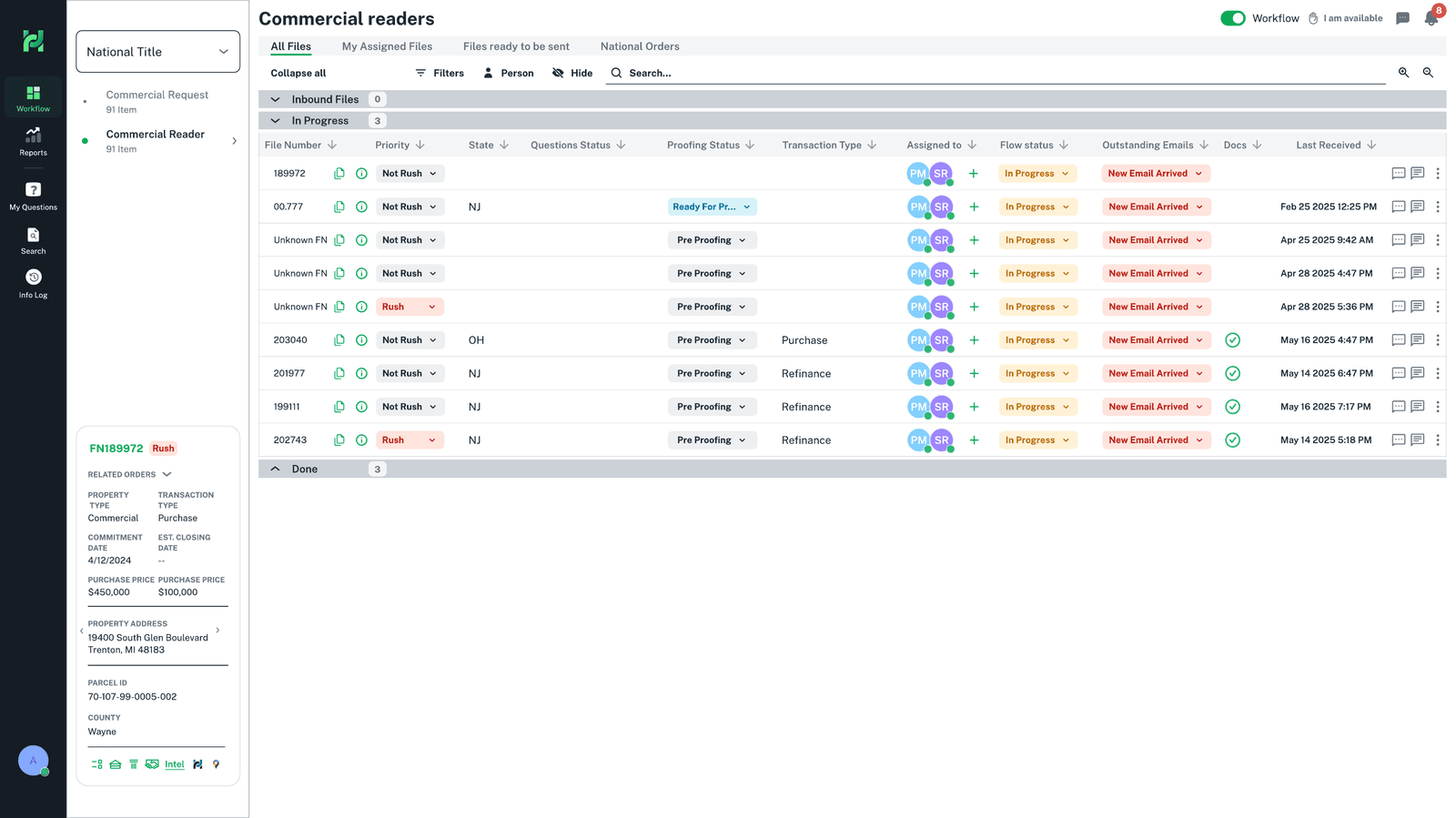
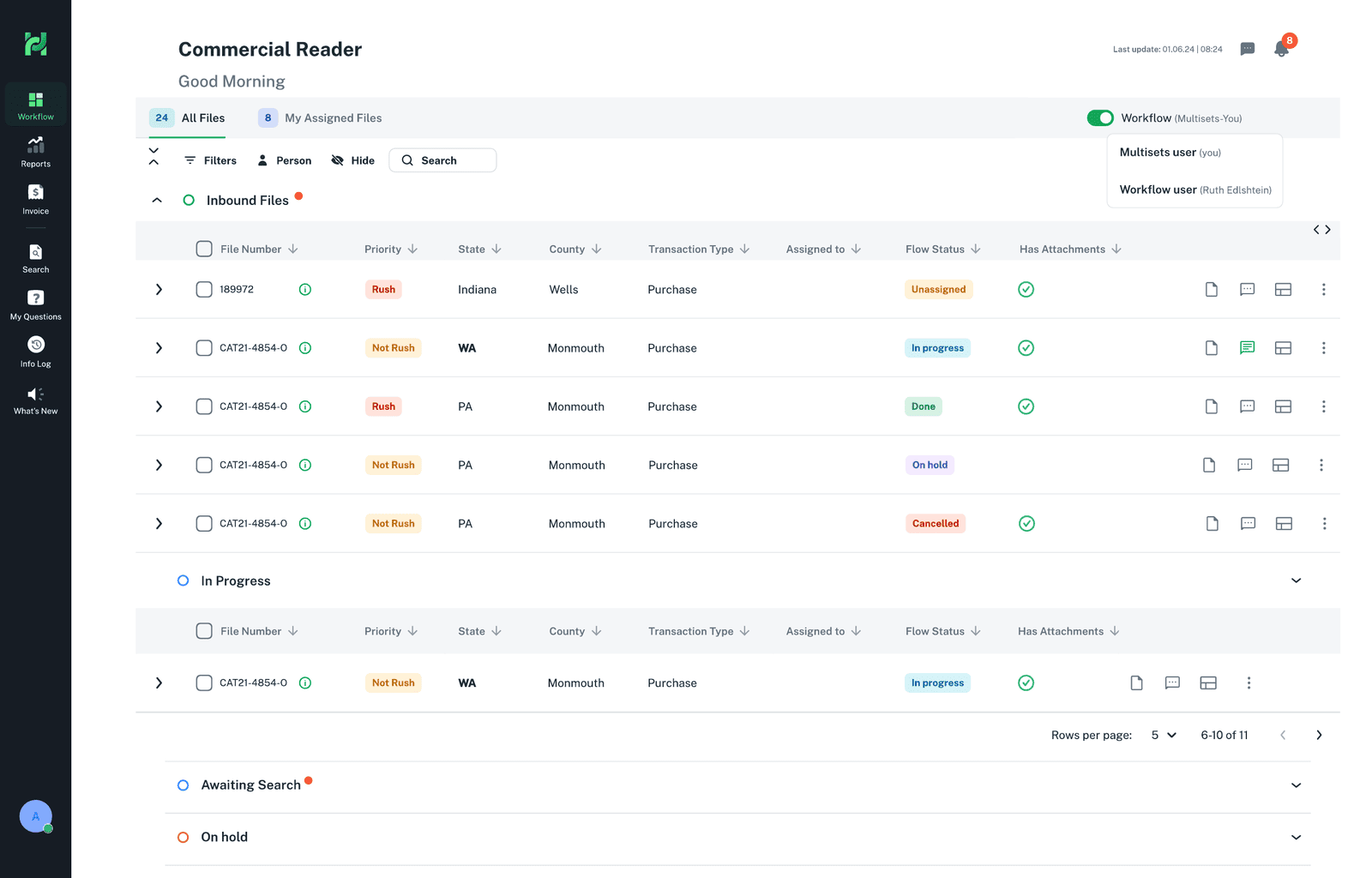
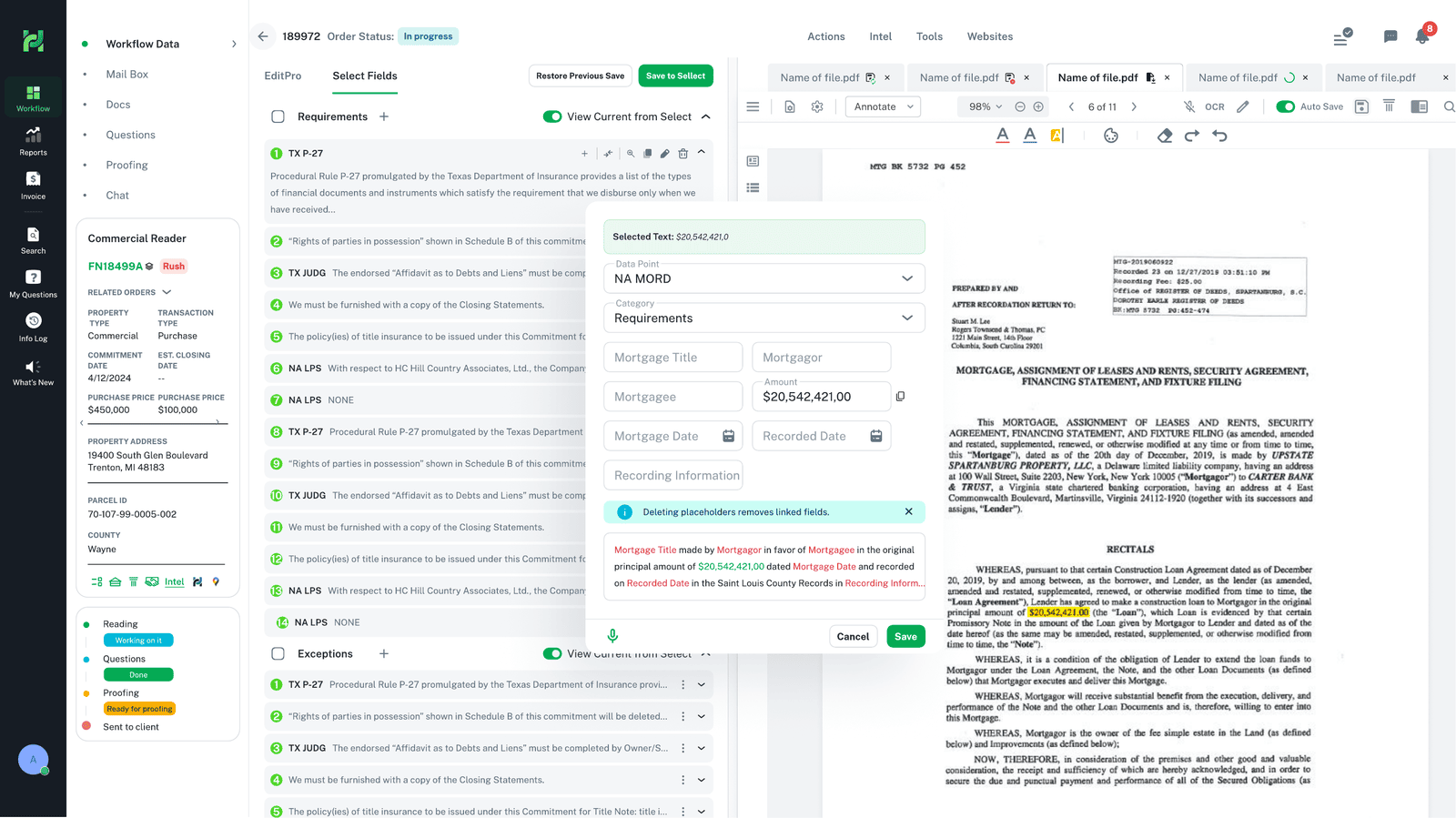
The workspace is where readers execute work. The design problem was to give each person a single place to see what they own, work a file end-to-end, and communicate — without leaving the file. The board organizes every file by priority, state, questions, proofing and flow status; the role-based home surfaces exactly the queues a person is responsible for.
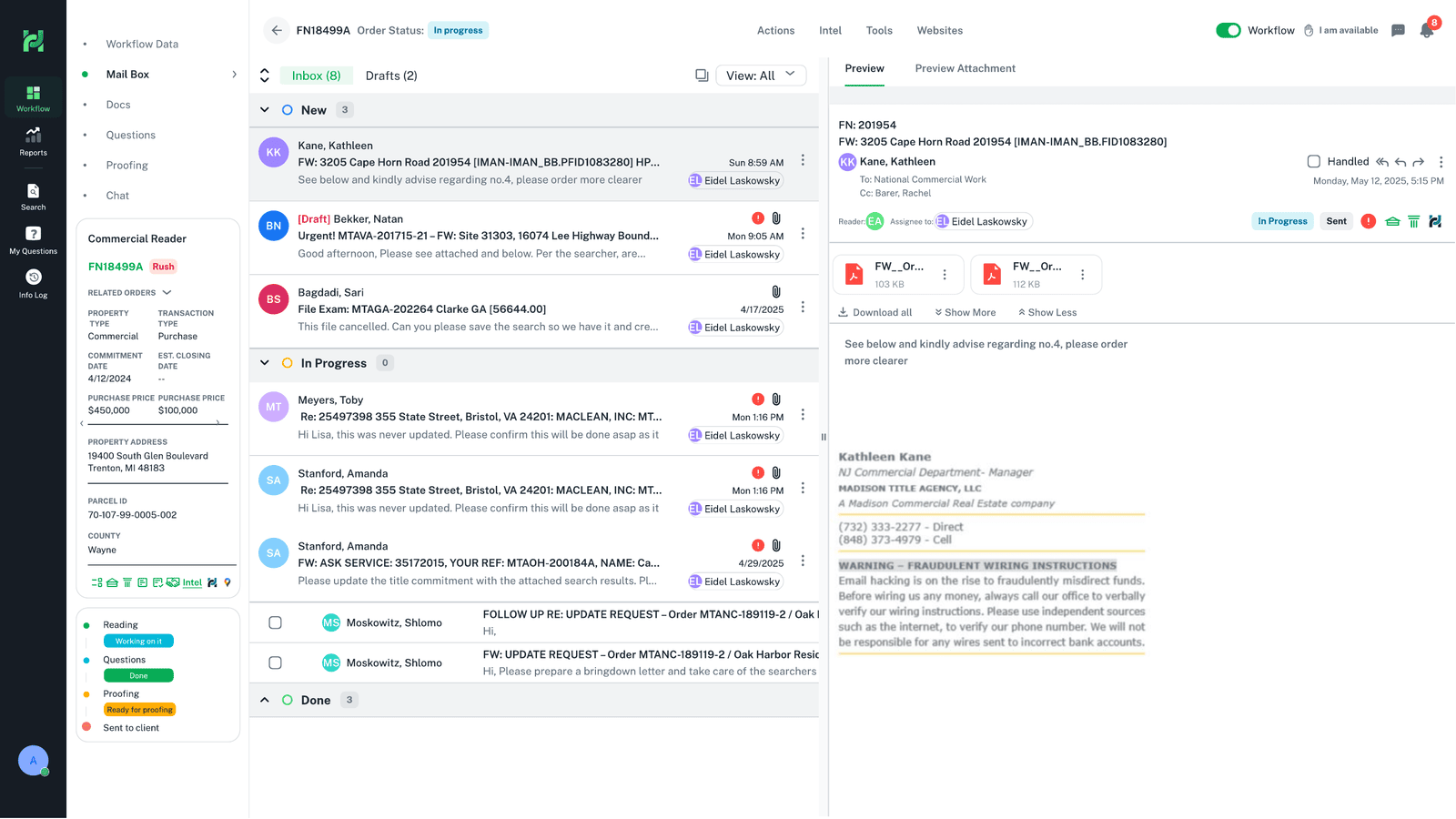
Putting communication, tasks and status on the file adds density to one object. We accepted that and paid for it with strong grouping and progressive disclosure, because the alternative — work scattered across tools — was far more expensive.
Operational Workspace — full story
Research, journey, information architecture, flows and the decisions behind the workspace.
Explore the domainData Intelligence & Validation
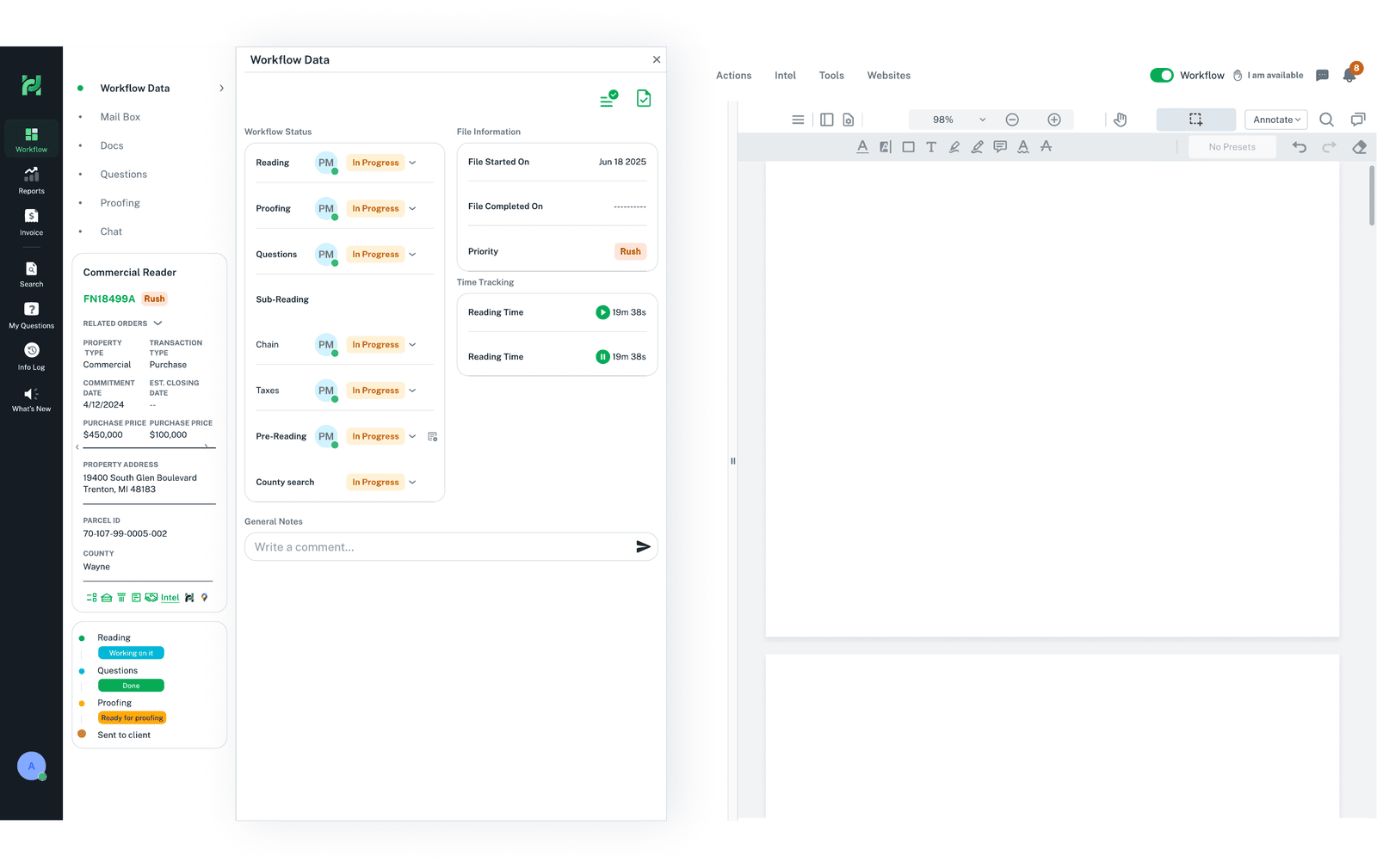
Operational data is only useful if it can be trusted. This domain turns manual cross-checking into a review workflow: the system surfaces and compares data on the file, flags what doesn't match or is unknown, and keeps a human in the loop for the decision. The checklist on the file makes each validation step — and its state — explicit.
Document
The source document is attached to the file and previewed in context.
Surface
Relevant data is pulled onto the file from internal and external systems.
Compare
The system cross-checks values and flags matches, mismatches and unknowns.
Resolve
Exceptions and conflicts are worked on the file, with history preserved.
Approve
The reviewer approves; the file's data becomes the trusted record.
Rather than automate blindly, the interface encodes a simple decision model so a reviewer always knows what a value needs.
| Data state | What the system does | What the person does |
|---|---|---|
| Match | Marks confirmed, low-noise | Nothing — trust and move on |
| Mismatch | Flags the conflict & shows both sources | Reviews evidence and resolves |
| Unknown | Marks as missing, requests the value | Sources and enters, or asks |
| Exception | Routes to the right owner | Decides and records the reason |
Automation earns speed; human oversight earns trust. The system surfaces and compares — the person decides. In a process where accuracy is critical, removing the human is a worse risk than a moment of review.
Data Intelligence & Validation — full story
The data lifecycle, validation workflow, decision matrices and the design of trust.
Explore the domainOperational Visibility & Management
Managers do a fundamentally different job than readers, so they need a fundamentally different view of the same data. This domain is about seeing the whole: workload across people, where files are stuck, what needs attention, and the health of the operation — with the controls to assign, rebalance and unblock.
Action clarity
- What do I own right now?
- What is the next step on this file?
- Everything I need, on the file
- Low noise, no switching
Operational visibility
- Where is every file, across the team?
- Who is overloaded; what is stuck?
- What needs attention or approval?
- Assign, rebalance and unblock
The interface changes with responsibility. Rather than one view compromised for everyone, the same underlying data is framed for two different jobs — action for the employee, oversight for the manager.
Operational Visibility & Management — full story
Dashboards, roles & permissions, workload and the design of oversight.
Explore the domainThe Design System
That is the only question this section answers. The design system was less about color and type than about a small set of operational patterns — each defined once, then reused across every domain. The payoff was threefold: consistency (a table behaves the same everywhere), scale (a new module is assembled from known parts, not designed from scratch), and maintainability (fix a pattern once and every module inherits it).
| Pattern | Why it exists — consistency · scale · maintainability |
|---|---|
| Data tables | Every domain is table-heavy; one table anatomy (sort, flag, group, density) means a reader learns it once and reads any module. |
| Filters & search | The same find-and-narrow model across boards, files and reports — no relearning per screen. |
| Status system | A single vocabulary of states and colors so status means the same thing platform-wide. |
| Cards & forms | Shared anatomy and input behavior so new capabilities ship without redesigning the basics. |
| Permissions & roles | One access model applied everywhere — the reason role-based views stayed coherent as the platform grew. |
| Tokens & spacing | Colour, type and spacing tokens change in one place and propagate to every module. |
Consistency is not decoration — it is what makes scale affordable. Shared patterns turn ‘another module’ into an assembly of known parts, so the platform can keep growing without fragmenting again.
Where It Stands
Title Hub shipped and is in daily use. It replaced the scattered mix of tools with a single operational home, now relied on by hundreds of people across multiple departments and offices — including New Jersey and New York — up to manager level. It was adopted well across the teams it was built for, and it keeps growing as new operational needs are added.
The measure of an operational platform is not a launch — it is whether people choose it for the real work, every day. Title Hub became that default.