
Dashboard
for a Desktop

In this case, I did the research, conclusions and characterization processes myself.
I will clarify the logic and thinking behind the decisions I made.

OVERVIEW

A bout Israel Tax Authority:

The dashboard in the personal government area of the Israeli Tax Authority was developed and designed for employers,
taxpayer representatives, and the general public in order to simplify processes of reporting and payment and make government services more accessible.
It can be used for personal information, processes of reporting, eligibility data, and refunds.

The mission:

The communication between the business and the tax authority will be accessible

MY ROLE

  • UX Research
  • UI Design
  • Design System
  • Wireframing
  • Prototyping

KPI

  • Reports and payments will be
    made easily and on time
  • Increase engagement

RESEARCH

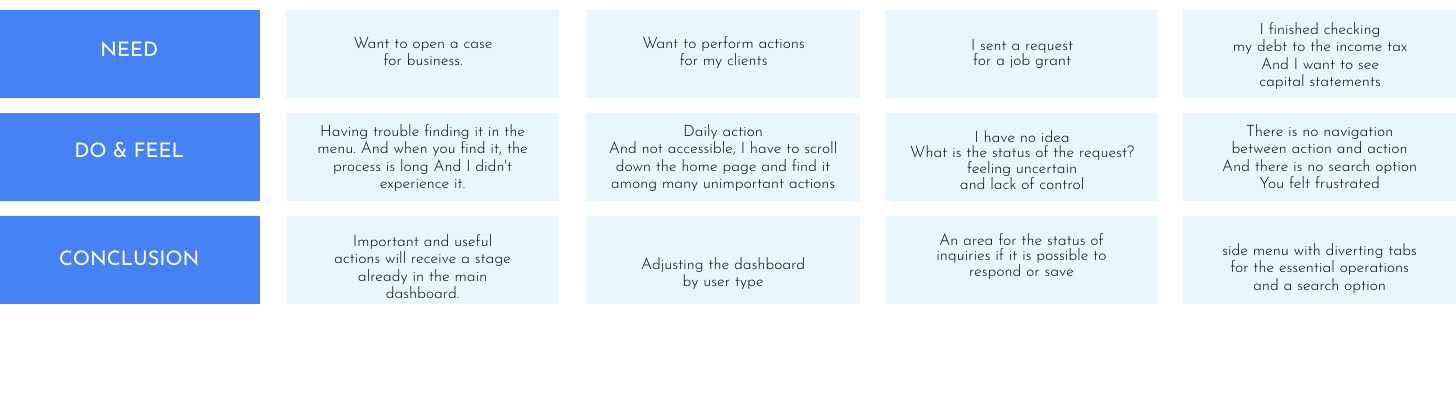
Complaints about the lack of understanding of the system and hassle until the requested action is reached

Research Goal

Understand which actions are most useful to the customer

Research Type

User interviews
I interviewed users from various groups in order to understand the needs of the system’s users.
The investigation showed that the system’s users are employers, taxpayer representatives, and private individuals.
Those users confirmed our preliminary assumptions regarding the system’s problems, and they added specific points regarding each group and what the most comfortable user experience would be.

Competitors Analysis

I analyzed and researched financial systems that supply similar services, and in addition I researched solutions for the behavior in complex systems.

User joureny map

Systems Analyst

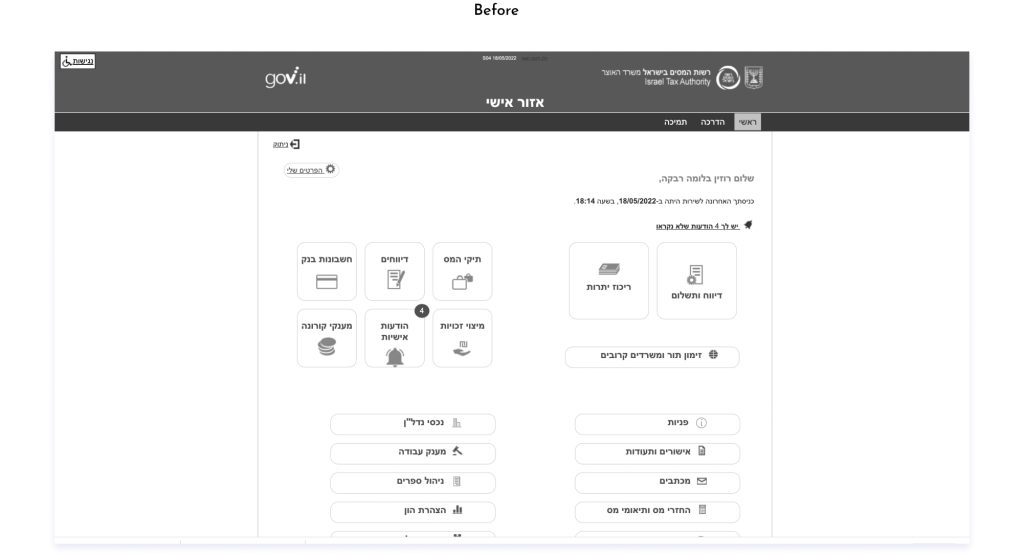
I analyzed the existing system today.

THE PROBLEM

Based on my research, some of my key findings were:

01

Dashboard

There was no overview who gave a general indication of all operations, operations and the status of payments and reports

02

hierarchy

Many options appeared, but with no hierarchical arrangement, and many were often inapplicable, making the user experience difficult and uncomfortable.

03

Navigation

There is no Navigation in the system and no navigation between actions
Makes it difficult to access basic operations in the system.

04

Communication

Since most of the user’s dealings with the tax authority is through the system, the absence of an area for updates and personal messages was very noticeable.

05

Inquiries status

Actions are taken in the system and the user has no idea what their status is, will it be accepted? Is a document missing?


06

Design

all is not well 🙁

Outdated design, inconsistent fonts and icons and look very unexperiential to the user.

RESEARCH conclusion

01 There are different types of users

Accountants, frequent users

“I need to manage some more
in addition to my business”

Small-medium business
use once a month to two months

“How do I know if the document
I sent was received?”

Large companies seldom use

“I just need some document”

02 Different users – Different need

Accountants

  • Dashboard for several businesses at the same time
  • Handles both income tax and VAT
  • Continuous communication with the tax authority
  • Payments and reports throughout the month

Small-medium business

  • A dashboard just for their business
  • Possibility to cultivate only in front of the income tax
  • Less continuous communication, more questions
  • Payments or reports once a month to two months

Information architecture

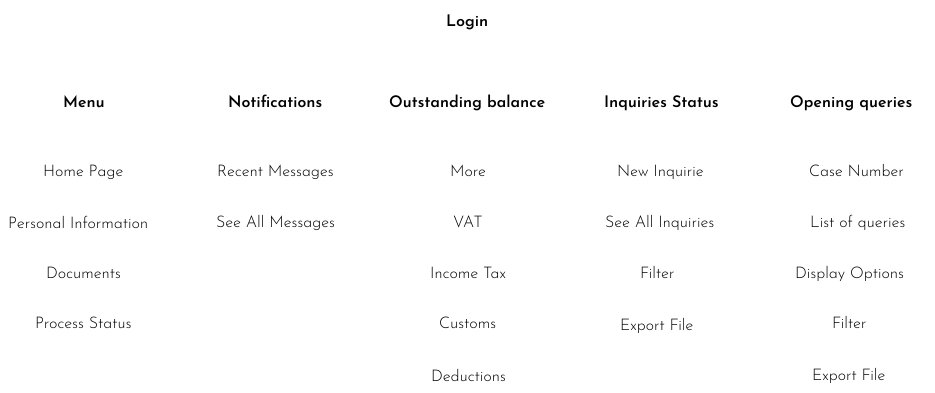
Immediately after research I built an information architecture. which will contain everything that I understood should be in the system.

Sketch options

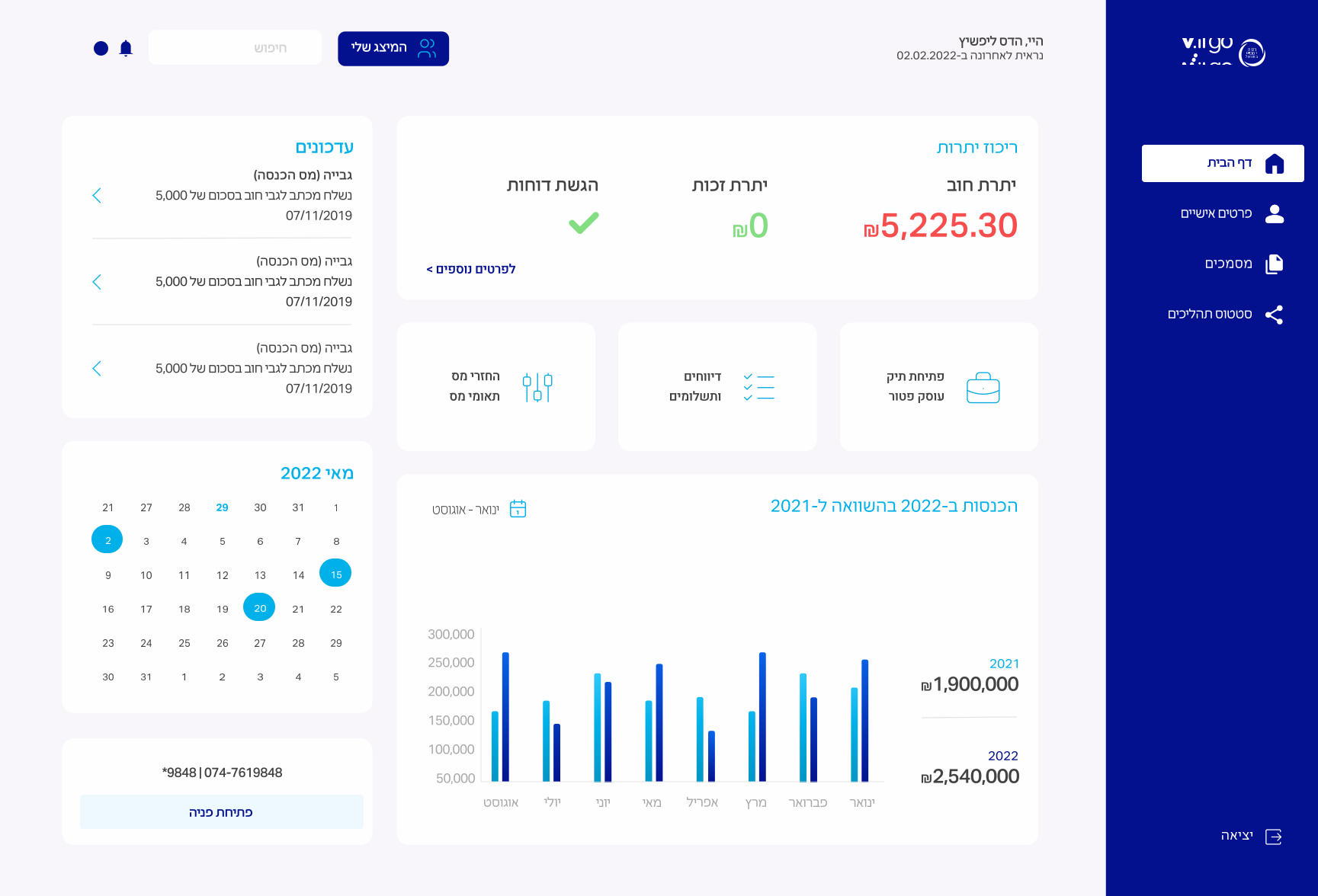
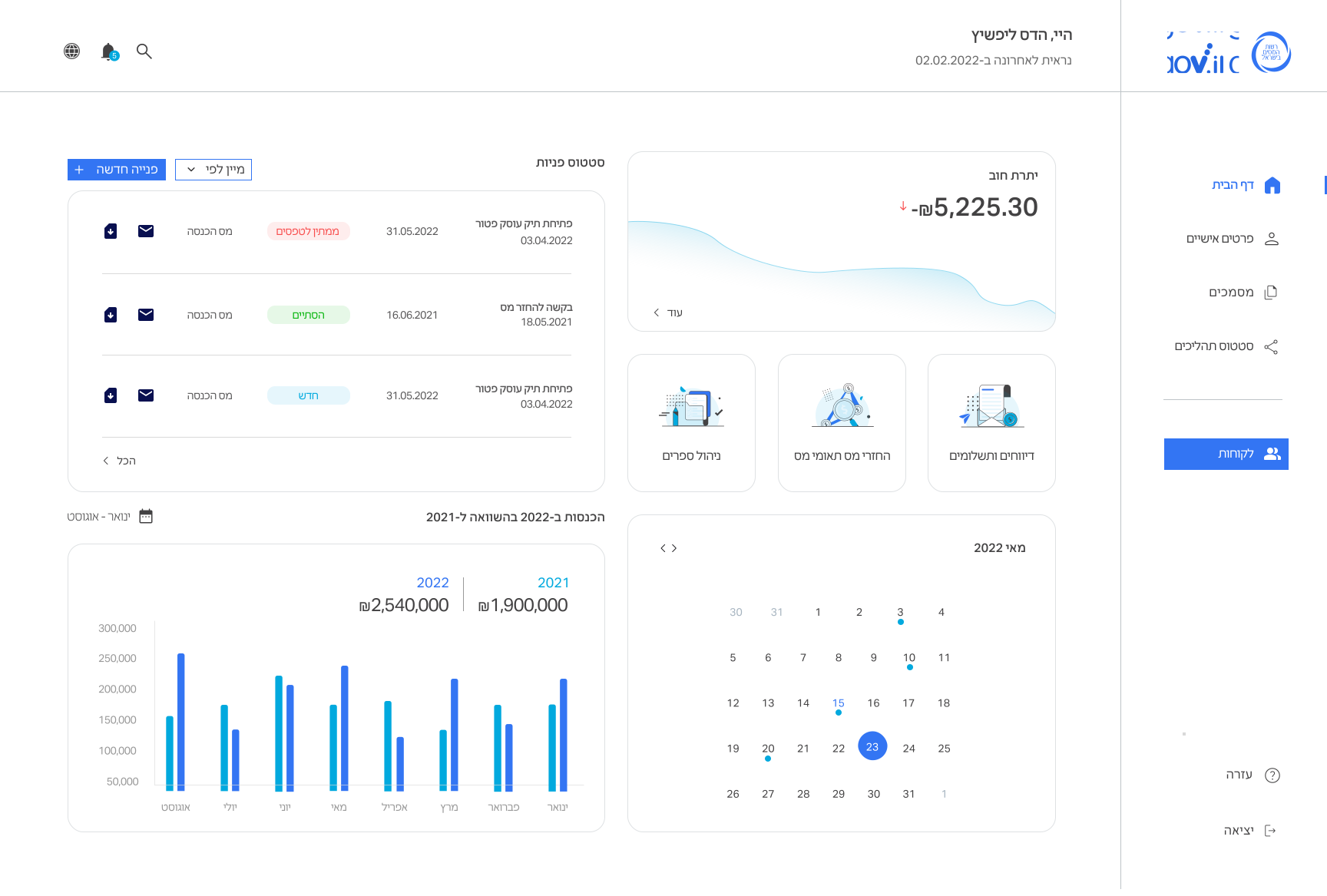
I designed directions.
Based on my research. Option A was the most effective.

Option B

Option A

THE SOLUTION

After I collected all the problems, I solved them as follows:

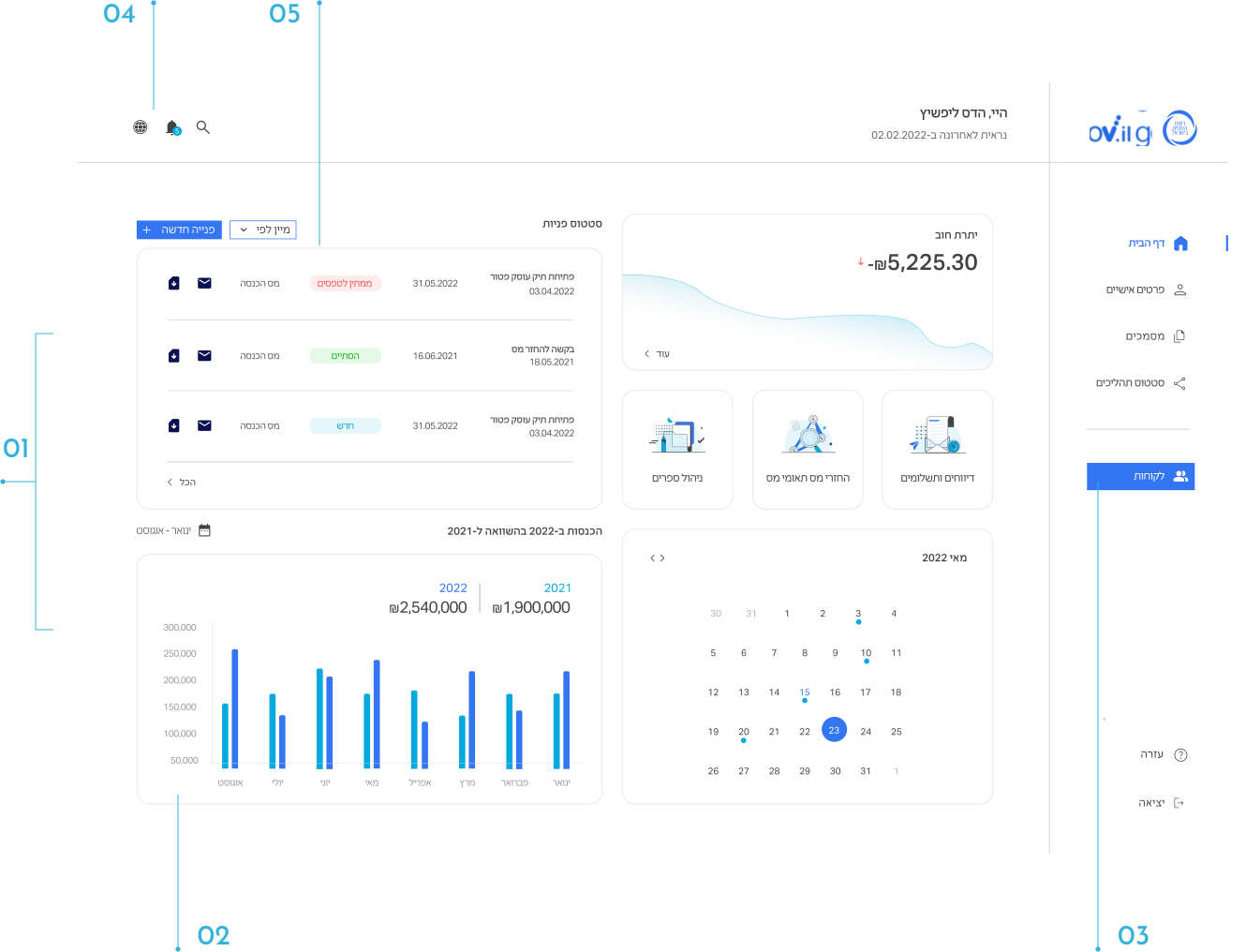
01

Dashboard

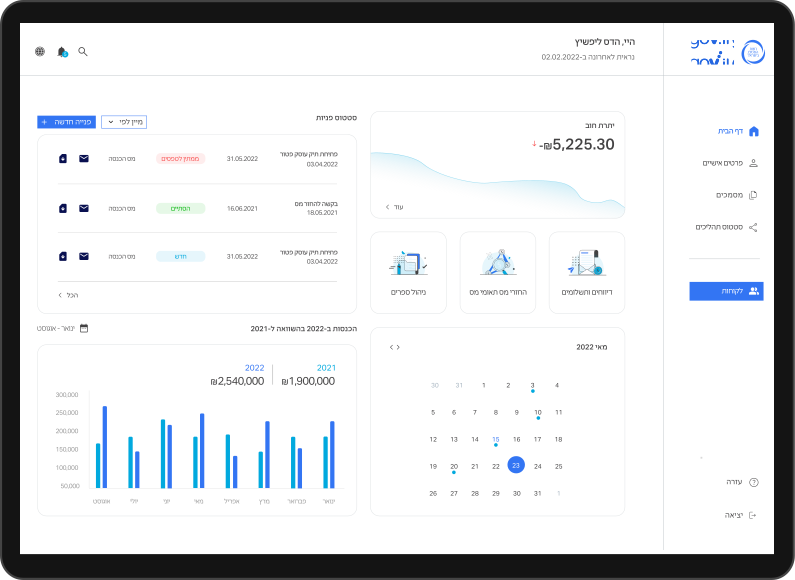
I created 2 central dashboards according to what is used
For accountants, the dashboard will contain information that is compatible with navigating between several VAT and income tax clients
For a private user who owns a business with an indication of the essential actions.

02

hierarchy

In each dashboard I put the important actions and essential information for the user

03

Navigation

I created a menu that navigates to all actions in a clear and accessible way with icons for the user to understand.

04

Communication

I created a button that alerts you to additional messages
I created a page for the inbox to be able to respond and communicate with the tax authority.

05

Inquiries status

In the central manufacturer’s dashboard, there is an area for inquiries, an indication of the status of an inquiry and the possibility to open a new inquiry.

06

Design

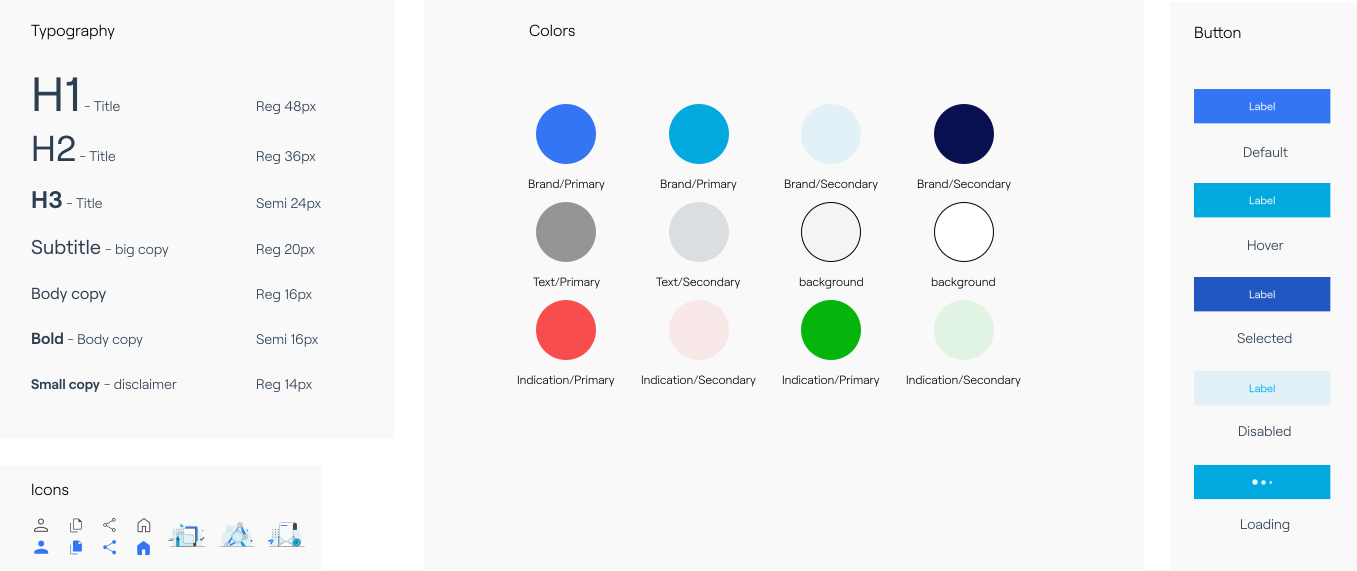
I built a design system to accompany the system. Clean and simple design language and icons. I reduced the use of colors.

design

Delivering a clean, clear, and simple design system

financial
The system provides a service to accountants and businesses that want to handle the financial part That’s why we created a system that uses familiar financial

Consistency
The design system should be consistent. Because a user can log in as multiple users and the components must be consistent and memorable.

Simplicity
In order to reduce cognitive load, and let the content shine, we push for simplicity, which means reduce color usage, reduce the number of font styles and button styles, remove any excessive decoration.